Agent Persistent State, Files and Memory: How to Separate the Three Layers
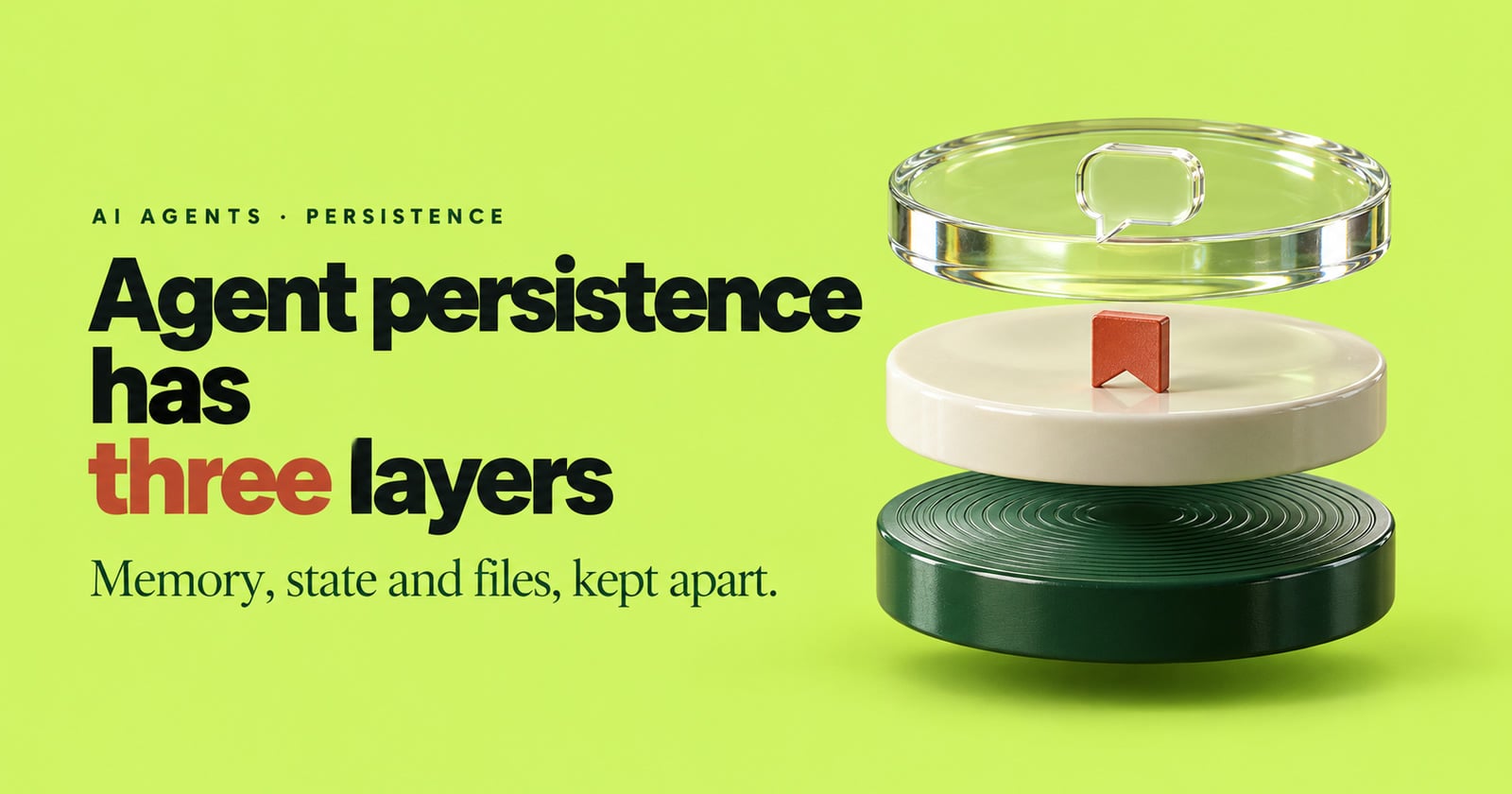
Vercel Drives just reached general availability: persistent storage that survives individual Sandbox runtimes, 1 TiB by default and configurable up to 16 TiB. That turns a fuzzy question into a concrete design decision for anyone shipping agents. Where does your agent keep what it remembers, where does it keep where it was, and where does it keep what it made? If the answer to all three is "the same place", your next crash will show you why that hurts.
TL;DR
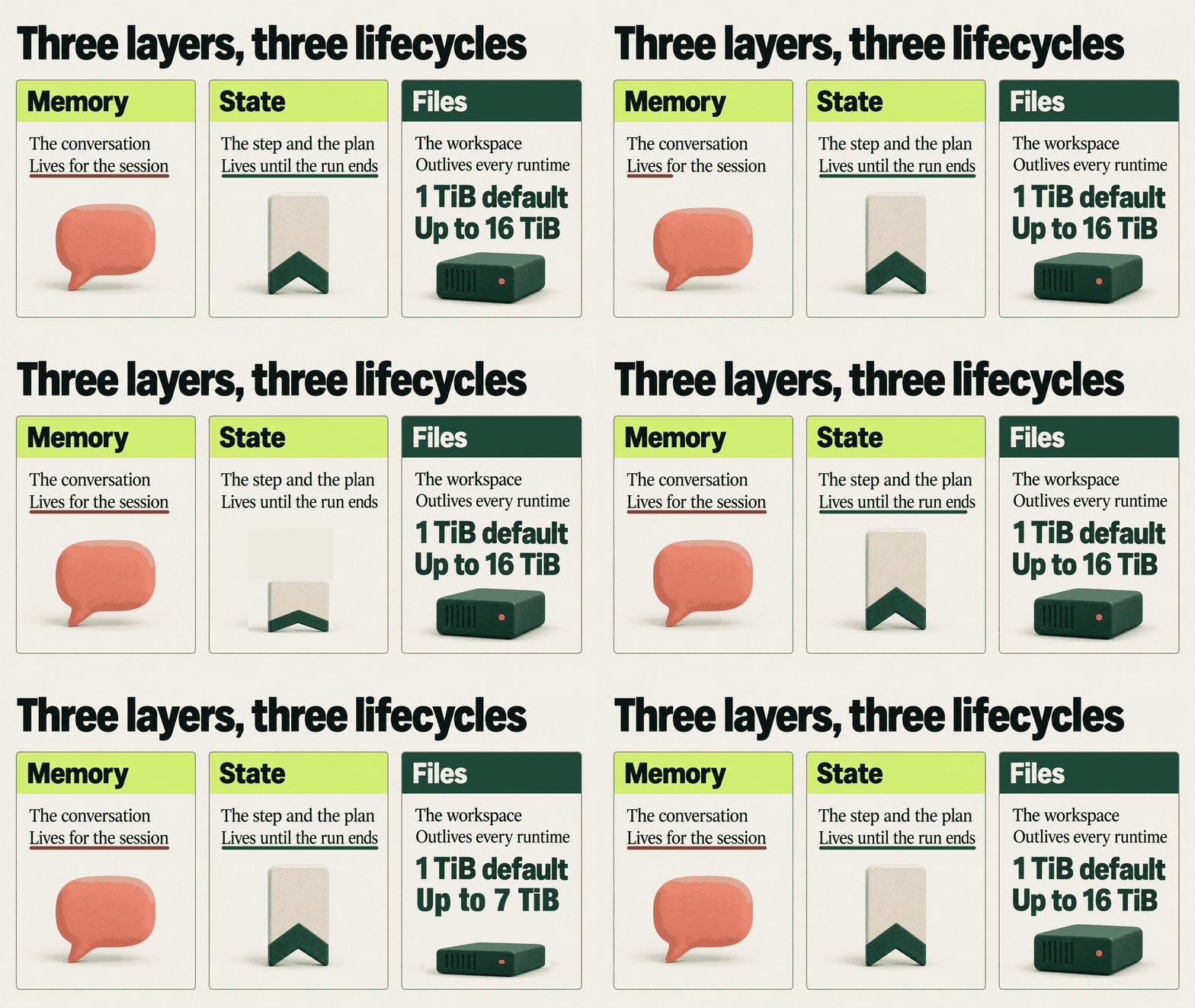
- Agent persistence is three layers with three lifecycles: conversational memory, workflow state, and durable files. Store them separately and give each its own key.
- Checkpoint workflow state at side effect boundaries (after a tool call commits, before the next one starts), keyed by a thread id, so a resume never repeats a payment or an email.
- Mount files as a separate volume that state only points to by path and hash. Then test resume and fork on purpose, before production does it for you.
This guide treats agent persistent state files memory as one architecture problem with three answers. If you want the wider map of memory types first (working, episodic, semantic, procedural), our guide to the four types of AI agent memory covers that ground. Here we stay practical: what goes in which layer, where the checkpoints go, how the files attach, and how to prove the whole thing survives a crash.
What changed in agent persistent state files memory
Three things moved recently, and together they make the separation hard to ignore:
- Files became their own product. Vercel Drives is storage built to outlive the Sandbox runtime that wrote to it. A runtime can die and the next one picks up the same workspace.
- Memory has a lifecycle you choose. The OpenAI Agents SDK persists conversation history in sessions that live outside a single model call. Its
MemorySessionkeeps that history in process, so it resets when the process exits. Same API, very different durability. - State resumes by thread. LangGraph durable execution uses a checkpointer plus a thread identifier, so a workflow can resume after an interruption, even long after the original process ended.
Read those three side by side and the pattern is obvious. Memory, state and files already ship as different products with different lifetimes. Your agent should model them the same way.
Define the three persistence layers
Here is the split I use. Each layer answers one question and has one owner.
| Layer | Answers | Typical store | Lives until |
|---|---|---|---|
| Memory | What was said and learned? | Session store (database or in process) | The session ends or is summarized |
| State | Where is the run right now? | Checkpointer keyed by thread id | The run completes |
| Files | What did the agent produce? | Mounted volume (a drive, a bucket) | You delete it |
Write the layers down as types before you write any storage code. It forces every field to pick a home:
// persistence.ts
export type ThreadId = string;

export interface MemoryRecord {
  threadId: ThreadId;
  role: "user" | "assistant" | "tool";
  content: string;
  createdAt: number;
}

export interface RunState {
  threadId: ThreadId;
  step: number;                  // last completed step
  plan: string[];                // remaining steps
  pendingToolCall?: { id: string; name: string; args: unknown };
  artifacts: ArtifactRef[];      // pointers into the files layer, never contents
}

export interface ArtifactRef {
  path: string;                  // path inside the mounted workspace
  sha256: string;                // proves the file matches what the state expects
}

export interface PersistenceLayers {
  memory: { append(r: MemoryRecord): Promise<void>; load(t: ThreadId): Promise<MemoryRecord[]> };
  state: { save(s: RunState): Promise<void>; load(t: ThreadId): Promise<RunState | null> };
  files: { root(t: ThreadId): string };
}
The rule that matters: RunState holds references to files, never their bytes. The moment a checkpoint embeds a 40 MB CSV, every save gets slow and every fork copies data it does not need.
Agent persistent state files memory architecture: choose checkpoint boundaries
A checkpoint is only useful if resuming from it is safe. The safe places are side effect boundaries: right after a tool call has committed its effect and right before the next one starts. Checkpoint in the middle of a tool call and a resume will run that call twice.
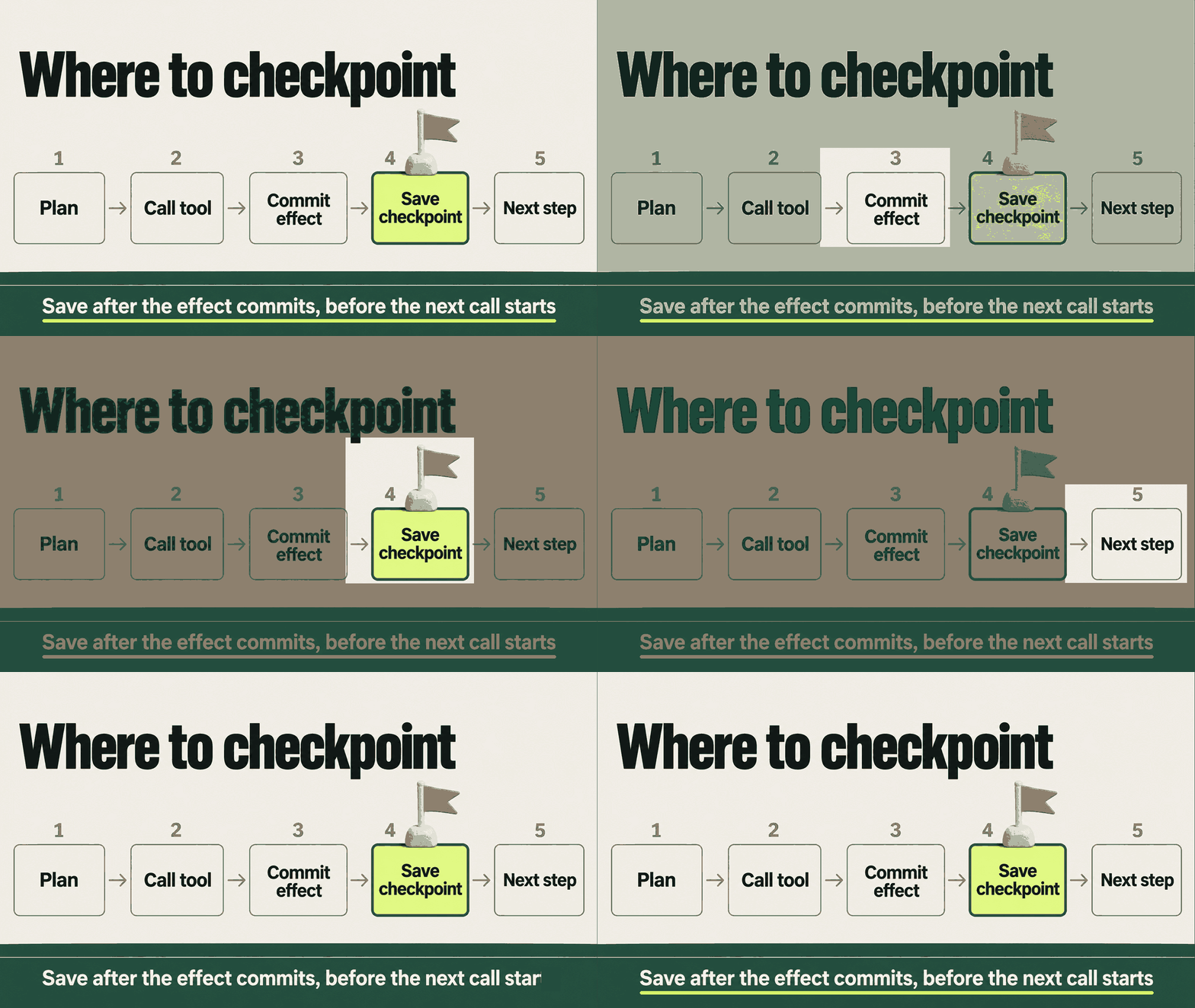
A small wrapper makes the boundary explicit and idempotent:
// run-step.ts
import { randomUUID } from "node:crypto";
import type { PersistenceLayers, RunState } from "./persistence";

export async function runStep(
  layers: PersistenceLayers,
  state: RunState,
  call: (idempotencyKey: string) => Promise<void>,
  toolName: string,
) {
  // 1. Record intent before the side effect, with a stable key.
  const pending = state.pendingToolCall ?? { id: randomUUID(), name: toolName, args: null };
  await layers.state.save({ ...state, pendingToolCall: pending });

  // 2. The tool uses the key, so a retried call is a no op on the provider side.
  await call(pending.id);

  // 3. Effect committed: advance and clear the pending call in one save.
  const next: RunState = { ...state, step: state.step + 1, pendingToolCall: undefined };
  await layers.state.save(next);
  return next;
}
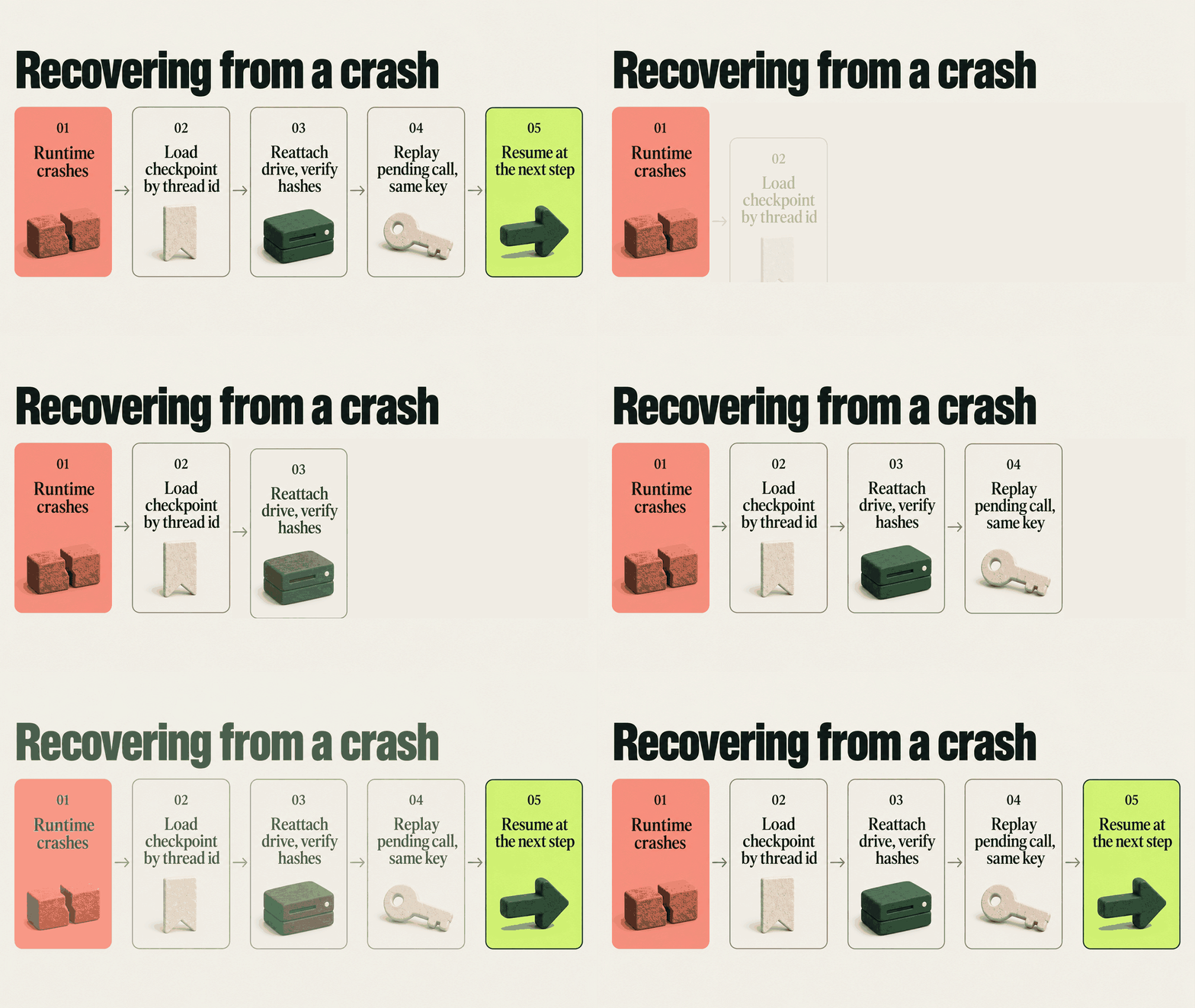
If the process dies between steps 1 and 3, the resumed run finds pendingToolCall with the same id and replays it with the same idempotency key. Payments, emails and tickets stay single.
Three boundaries I always add:
- After every external write (API call, email, database write).
- Before any long wait, such as a human approval, so the waiting run holds no process.
- After every file the agent finalizes, with its new hash recorded in
artifacts.
Mount durable files separately
Files are the layer people most often stuff into the wrong place. Logs, generated code, downloaded datasets and screenshots belong on a volume that outlives the runtime, which is exactly what a product like Vercel Drives is for. State keeps a pointer and a hash, memory keeps a sentence about it ("I wrote the report to reports/q3.md"), and the bytes stay on the drive.
// files.ts
import { createHash } from "node:crypto";
import { readFile, writeFile, mkdir } from "node:fs/promises";
import { dirname, join } from "node:path";
import type { ArtifactRef, ThreadId } from "./persistence";

const WORKSPACE = process.env.AGENT_WORKSPACE ?? "/mnt/agent-drive";

export const filesRoot = (t: ThreadId) => join(WORKSPACE, "threads", t);

export async function writeArtifact(t: ThreadId, rel: string, body: string): Promise<ArtifactRef> {
  const full = join(filesRoot(t), rel);
  await mkdir(dirname(full), { recursive: true });
  await writeFile(full, body);
  return { path: rel, sha256: createHash("sha256").update(body).digest("hex") };
}

export async function verifyArtifact(t: ThreadId, ref: ArtifactRef): Promise<boolean> {
  const body = await readFile(join(filesRoot(t), ref.path));
  return createHash("sha256").update(body).digest("hex") === ref.sha256;
}
Two habits keep this layer honest. Scope every thread to its own directory, so two runs never write the same path. And verify hashes on resume: if a file on the drive no longer matches what the state recorded, stop and say so instead of building on top of it.
When several agents share one workspace, the same rules hold per agent, with one owner per directory. That is the core of the handoff patterns in this production guide to multi agent system architecture.
Test resume and fork behavior
You do not know your persistence works until you kill a run on purpose. A resume test and a fork test cover most of what breaks in production.
// resume.test.ts
import { describe, it, expect } from "vitest";
import { makeTestLayers, runAgent, CrashAfter } from "./harness";

describe("agent persistence", () => {
  it("resumes after a crash without repeating the side effect", async () => {
    const layers = makeTestLayers();
    const sent: string[] = [];
    const sendEmail = async (key: string) => { if (!sent.includes(key)) sent.push(key); };

    await expect(runAgent(layers, "thread-a", { sendEmail, crash: CrashAfter.toolCall })).rejects.toThrow();
    await runAgent(layers, "thread-a", { sendEmail });           // fresh process, same thread id

    expect(sent).toHaveLength(1);
    expect((await layers.state.load("thread-a"))?.plan).toEqual([]);
  });

  it("forks state and files without touching the parent", async () => {
    const layers = makeTestLayers();
    await runAgent(layers, "thread-a", { stopAtStep: 2 });
    await layers.fork("thread-a", "thread-b");                  // copies state, copies files dir

    await runAgent(layers, "thread-b", { overridePlan: ["draft-alt"] });
    const parent = await layers.state.load("thread-a");
    expect(parent?.step).toBe(2);
  });
});
The fork test catches the most common bug I see: a forked thread that still points at the parent's files directory. Both branches then write the same report and whichever finishes last wins.
Agent persistent state files memory checklist for production
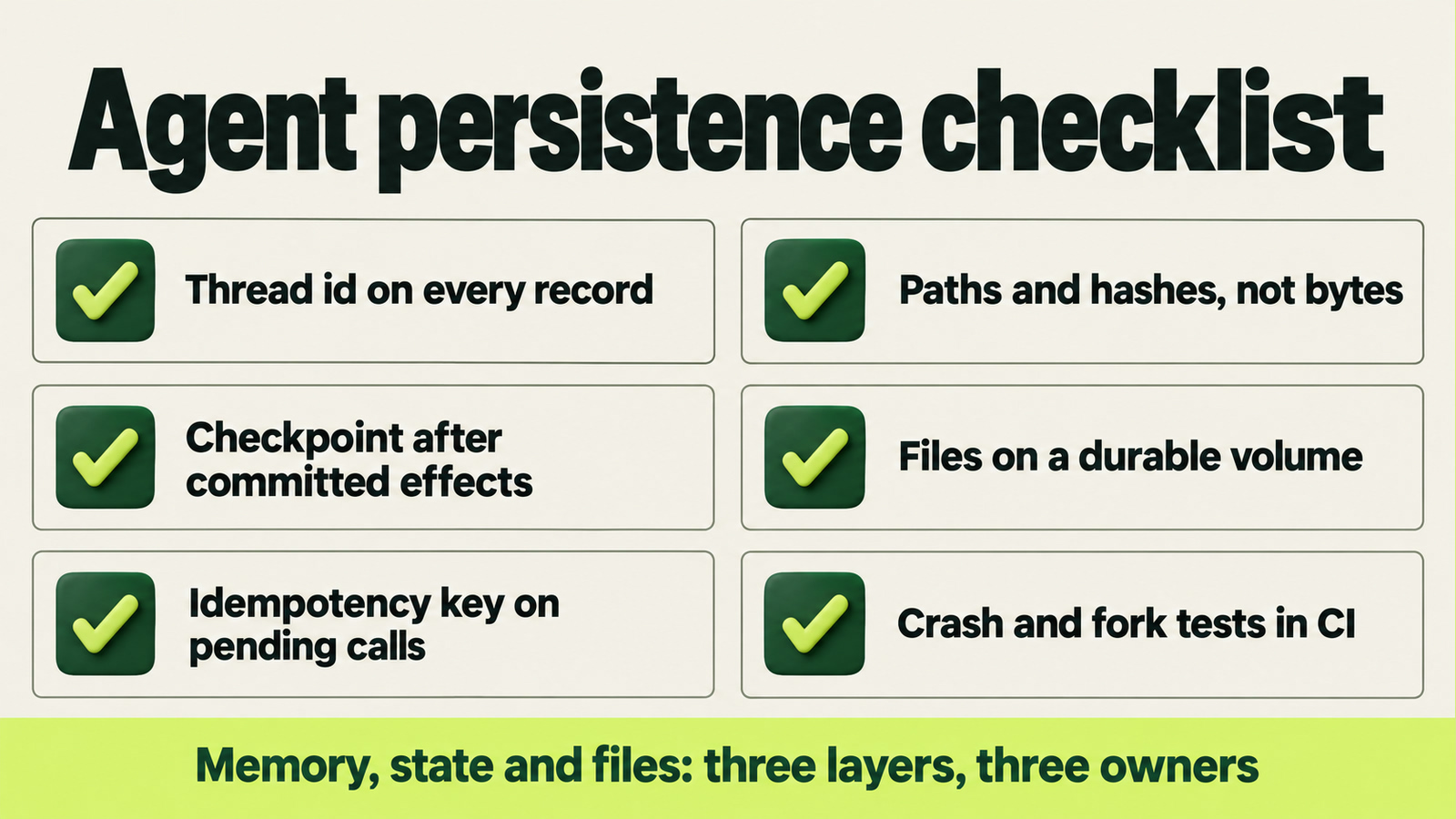
Before you call this production ready, every line below should be true:
| Check | Layer | Fails when |
|---|---|---|
| Every record carries a thread id | All three | Two runs read each other's data |
| Checkpoints sit after committed effects | State | A resume repeats a payment or an email |
| Pending calls carry an idempotency key | State | A replay creates a duplicate on the provider side |
| State stores file paths and hashes, not bytes | State and Files | Checkpoints grow and forks copy data |
| Files live on a volume that outlives the runtime | Files | A crash deletes the agent's work |
| In process memory is used only for tests | Memory | A deploy wipes every conversation |
| A crash test and a fork test run in CI | All three | The first real crash is your test |
My take
My opinion, after seeing a few agent codebases: most persistence bugs are not storage bugs. They are ownership bugs. Someone put the plan in the chat history because it was convenient, or wrote a file and kept its contents in the checkpoint "just for now". Drives going GA does not fix that. It just makes the files layer cheap enough that there is no excuse left. Draw the three boxes first, then pick the products.
FAQ
What changed in agent persistent state files memory? Persistent file workspaces became a product (Vercel Drives is GA, 1 TiB default and up to 16 TiB, surviving individual Sandbox runtimes), memory got explicit lifecycles in SDKs like OpenAI Agents sessions, and durable execution in LangGraph resumes state by thread id through a checkpointer. Memory, state and files now ship as separate pieces.
How should teams adopt agent persistent state files memory? Start by typing the three layers and giving every record a thread id. Then add checkpoints at side effect boundaries with idempotency keys, move every artifact onto a mounted volume that state references by path and hash, and add a crash test and a fork test to CI before the first production run.
Should conversation memory and workflow state share one store? They can share a database, but not a record. Memory is what was said; state is where the run is. Keep them as separate tables or collections with separate retention, because you will want to summarize memory long before you are allowed to drop state.
Related reading: Why your AI agent forgets: context engineering patterns that hold up and Why 40% of AI agent projects get killed, and the ones that survive.
Still deciding which agent framework should own your checkpoints and sessions? Run your requirements through the AI agent framework chooser before you commit to one.
Comments
Join the discussionNo comments yet. Be the first to comment.